Choosing the Right GCP Compute Platform for Your Workload
I’ve deployed applications to all three GCP serverless platforms—Cloud Run, Cloud Functions, and App Engine. Each has strengths, but choosing wrong costs time and money. I’ve seen teams spend weeks migrating from App Engine to Cloud Run, and others struggle with Cloud Functions’ limitations when they needed Cloud Run’s flexibility.
In this comprehensive guide, I’ll break down when to use each platform, their trade-offs, and real-world deployment patterns. You’ll learn which platform fits your workload, how to optimize costs, and avoid common pitfalls.
What You’ll Learn
- Detailed comparison of all three platforms
- When to choose each platform
- Cost analysis and optimization strategies
- Performance characteristics and limitations
- Real-world deployment patterns
- Migration strategies between platforms
- Best practices for each platform
- Common mistakes and how to avoid them
Introduction: The GCP Serverless Landscape
Google Cloud offers three serverless compute platforms, each optimized for different use cases:
- Cloud Functions: Event-driven, function-as-a-service for lightweight tasks
- Cloud Run: Container-based serverless for any workload
- App Engine: Fully managed platform for web applications
The choice isn’t always obvious. I’ve seen teams choose Cloud Functions for workloads that needed Cloud Run’s container flexibility, and others use App Engine when Cloud Run would be simpler and cheaper.

1. Cloud Functions: Event-Driven Functions
1.1 Overview and Use Cases
Cloud Functions is Google’s function-as-a-service (FaaS) platform. It’s designed for event-driven, lightweight functions that respond to triggers.
Best for:
- Event processing (Cloud Storage, Pub/Sub, Firestore triggers)
- API endpoints with simple logic
- Lightweight data transformations
- Webhook handlers
- Background jobs triggered by events
Not ideal for:
- Long-running processes (15-minute timeout limit)
- Complex applications requiring multiple dependencies
- Applications needing custom runtimes
- High-memory workloads (limited to 8GB)
- Applications requiring persistent connections
1.2 Key Characteristics
# Cloud Functions Characteristics
Runtime Support:
  - Node.js (18, 20)
  - Python (3.7-3.11)
  - Go (1.18+)
  - Java (11, 17)
  - .NET (6, 8)
  - Ruby (3.0+)
  - PHP (8.1+)

Limits:
  - Memory: 128MB - 8GB
  - CPU: 1-8 vCPUs
  - Timeout: 9 minutes (1st gen), 60 minutes (2nd gen)
  - Request size: 10MB (1st gen), 32MB (2nd gen)
  - Response size: 10MB (1st gen), 32MB (2nd gen)

Pricing:
  - Invocations: $0.40 per million
  - Compute time: $0.0000025 per GB-second
  - Free tier: 2 million invocations/month
1.3 Example: Cloud Storage Trigger
# Cloud Function triggered by Cloud Storage upload
from google.cloud import storage
from google.cloud import vision
import functions_framework

@functions_framework.cloud_event
def process_image(cloud_event):
    """Process uploaded image with Vision API"""
    data = cloud_event.data

    bucket_name = data["bucket"]
    file_name = data["name"]

    # Initialize clients
    storage_client = storage.Client()
    vision_client = vision.ImageAnnotatorClient()

    # Download image
    bucket = storage_client.bucket(bucket_name)
    blob = bucket.blob(file_name)
    image_content = blob.download_as_bytes()

    # Analyze image
    image = vision.Image(content=image_content)
    response = vision_client.label_detection(image=image)
    labels = response.label_annotations

    # Process results
    print(f"Image {file_name} has {len(labels)} labels")
    for label in labels:
        print(f"  - {label.description}: {label.score:.2f}")

    return {"status": "success", "labels": len(labels)}
1.4 Deployment
# Deploy Cloud Function
gcloud functions deploy process-image \
  --gen2 \
  --runtime=python311 \
  --region=us-central1 \
  --source=. \
  --entry-point=process_image \
  --trigger-bucket=my-image-bucket \
  --memory=512MB \
  --timeout=540s \
  --max-instances=10
2. Cloud Run: Container-Based Serverless
2.1 Overview and Use Cases
Cloud Run is a fully managed serverless container platform. It runs any containerized application and scales automatically.
Best for:
- Containerized applications (any language, any framework)
- Microservices and APIs
- Long-running processes
- Applications with custom dependencies
- High-memory workloads (up to 32GB)
- Applications requiring GPU support
- Legacy applications that can be containerized
Not ideal for:
- Simple event handlers (Cloud Functions is simpler)
- Applications requiring App Engine’s managed services
- Stateful applications (though possible with careful design)
2.2 Key Characteristics
# Cloud Run Characteristics
Container Support:
  - Any container image (Docker)
  - Any runtime, any language
  - Custom base images

Limits:
  - Memory: 128MB - 32GB
  - CPU: 1-8 vCPUs (can request more)
  - Timeout: 60 minutes (can be extended)
  - Request size: 32MB
  - Response size: 32MB
  - Concurrent requests: 1-1000 per instance

Pricing:
  - CPU allocation: $0.00002400 per vCPU-second
  - Memory allocation: $0.00000250 per GB-second
  - Requests: $0.40 per million
  - Free tier: 2 million requests/month, 360,000 GB-seconds
2.3 Example: FastAPI Application
# FastAPI application for Cloud Run
from fastapi import FastAPI
from pydantic import BaseModel
import uvicorn

app = FastAPI()

class PredictionRequest(BaseModel):
    text: str
    model: str = "default"

class PredictionResponse(BaseModel):
    prediction: str
    confidence: float

@app.post("/predict", response_model=PredictionResponse)
async def predict(request: PredictionRequest):
    """ML prediction endpoint"""
    # Your ML model logic here
    result = process_prediction(request.text, request.model)

    return PredictionResponse(
        prediction=result["label"],
        confidence=result["score"]
    )

@app.get("/health")
async def health():
    return {"status": "healthy"}

if __name__ == "__main__":
    port = int(os.environ.get("PORT", 8080))
    uvicorn.run(app, host="0.0.0.0", port=port)
# Dockerfile for Cloud Run
FROM python:3.11-slim

WORKDIR /app

# Install dependencies
COPY requirements.txt .
RUN pip install --no-cache-dir -r requirements.txt

# Copy application
COPY . .

# Run application
CMD exec uvicorn main:app --host 0.0.0.0 --port $PORT
2.4 Deployment
# Build and deploy to Cloud Run
gcloud builds submit --tag gcr.io/PROJECT_ID/my-api

gcloud run deploy my-api \
  --image gcr.io/PROJECT_ID/my-api \
  --platform managed \
  --region us-central1 \
  --memory 2Gi \
  --cpu 2 \
  --timeout 300 \
  --min-instances 1 \
  --max-instances 10 \
  --concurrency 80 \
  --allow-unauthenticated
3. App Engine: Fully Managed Platform
3.1 Overview and Use Cases
App Engine is Google’s original serverless platform, providing a fully managed environment for web applications.
Best for:
- Traditional web applications
- Applications using App Engine’s managed services
- Applications requiring automatic scaling with minimal configuration
- Legacy applications already on App Engine
- Applications needing built-in authentication
Not ideal for:
- Containerized applications (Cloud Run is better)
- Event-driven functions (Cloud Functions is better)
- Applications requiring custom runtimes
- High-performance workloads (Cloud Run offers better control)
3.2 Key Characteristics
# App Engine Characteristics
Runtime Support:
  Standard Environment:
    - Python (3.7-3.11)
    - Node.js (18, 20)
    - Go (1.18+)
    - Java (8, 11, 17)
    - PHP (7.4, 8.1)
    - Ruby (3.0+)

  Flexible Environment:
    - Any runtime via custom Dockerfile

Limits:
  Standard:
    - Memory: 128MB - 2GB
    - Timeout: 60 seconds (can extend to 60 minutes)
    - Request size: 32MB

  Flexible:
    - Memory: Custom (up to 14GB)
    - Timeout: 60 minutes
    - Full container control

Pricing:
  - Instance hours: $0.05-0.50 per hour (Standard)
  - Instance hours: $0.10-0.50 per hour (Flexible)
  - Free tier: 28 instance-hours/day (Standard)
3.3 Example: Flask Application
# app.py for App Engine Standard
from flask import Flask, request, jsonify

app = Flask(__name__)

@app.route("/")
def hello():
    return "Hello, App Engine!"

@app.route("/api/data", methods=["POST"])
def process_data():
    data = request.get_json()
    # Process data
    result = process(data)
    return jsonify(result)

if __name__ == "__main__":
    app.run(host="127.0.0.1", port=8080, debug=True)
# app.yaml for App Engine Standard
runtime: python311

instance_class: F2

automatic_scaling:
  min_instances: 1
  max_instances: 10
  target_cpu_utilization: 0.6

env_variables:
  ENVIRONMENT: production
  LOG_LEVEL: info

handlers:
- url: /.*
  script: auto
3.4 Deployment
# Deploy to App Engine
gcloud app deploy app.yaml

# Deploy specific service
gcloud app deploy app.yaml --version=v1

# Deploy with traffic splitting
gcloud app deploy app.yaml --version=v2 --no-promote
gcloud app services set-traffic default --splits=v1=0.9,v2=0.1

4. Detailed Comparison
4.1 Performance Comparison
| Feature | Cloud Functions | Cloud Run | App Engine |
|---|---|---|---|
| Cold Start | 1-3 seconds (1st gen) 0.5-2 seconds (2nd gen) |
1-5 seconds (can be minimized) | 5-15 seconds (Standard) 1-3 minutes (Flexible) |
| Warm Performance | Excellent | Excellent | Good |
| Concurrency | 1 request per instance | 1-1000 requests per instance | 1-80 requests per instance |
| Max Memory | 8GB | 32GB | 2GB (Standard) 14GB (Flexible) |
| Max Timeout | 9 min (1st gen) 60 min (2nd gen) |
60 minutes | 60 seconds (Standard) 60 minutes (Flexible) |
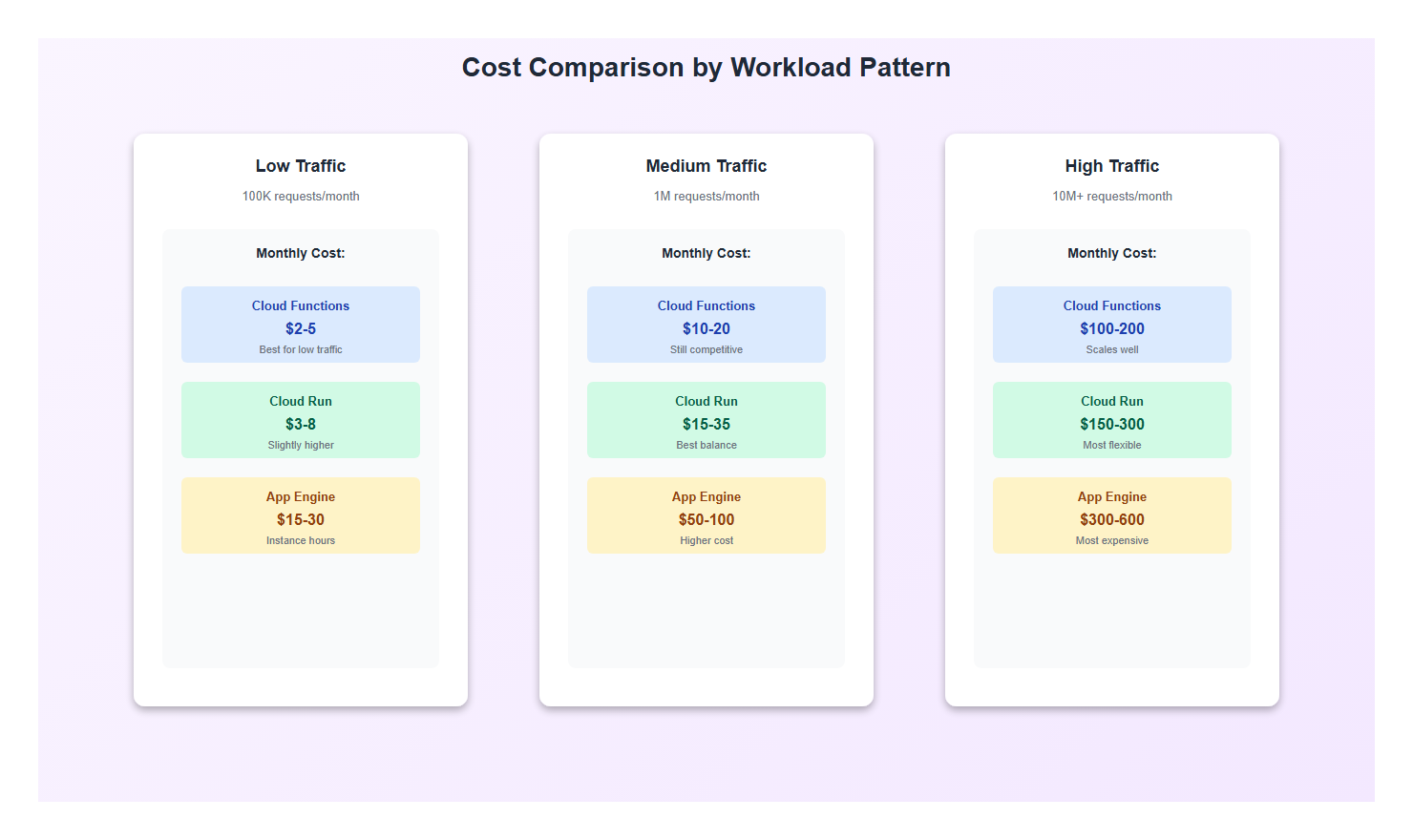
4.2 Cost Comparison
Cost analysis for a typical workload (1 million requests/month, 500ms average response time):
| Platform | Monthly Cost (Est.) | Notes |
|---|---|---|
| Cloud Functions | $5-15 | Pay per invocation + compute time |
| Cloud Run | $10-30 | Pay per request + CPU/memory allocation |
| App Engine | $20-50 | Pay for instance hours (even when idle) |
Cost Optimization Tips:
- Cloud Functions: Use 2nd gen for better cold start performance, optimize function size
- Cloud Run: Set min-instances=0 for spiky traffic, optimize container size
- App Engine: Use automatic scaling, set min-instances=0 for cost savings
4.3 Feature Comparison
| Feature | Cloud Functions | Cloud Run | App Engine |
|---|---|---|---|
| Container Support | No | Yes (full Docker) | Yes (Flexible only) |
| GPU Support | No | Yes | No |
| VPC Connectivity | Yes (Serverless VPC) | Yes (VPC Connector) | Yes |
| Custom Domains | Yes | Yes | Yes |
| Built-in Auth | Yes | Yes (IAM) | Yes (Firebase Auth) |
| Managed Services | Limited | No | Yes (Datastore, Memcache, etc.) |
5. Real-World Use Cases
5.1 When to Use Cloud Functions
Example: Image Processing Pipeline
# Triggered by Cloud Storage upload
@functions_framework.cloud_event
def resize_image(cloud_event):
    """Resize uploaded images automatically"""
    from PIL import Image
    import io

    data = cloud_event.data
    bucket_name = data["bucket"]
    file_name = data["name"]

    # Only process images
    if not file_name.lower().endswith(('.jpg', '.jpeg', '.png')):
        return

    storage_client = storage.Client()
    bucket = storage_client.bucket(bucket_name)

    # Download original
    blob = bucket.blob(file_name)
    image_data = blob.download_as_bytes()

    # Resize
    image = Image.open(io.BytesIO(image_data))
    image.thumbnail((800, 800), Image.Resampling.LANCZOS)

    # Upload resized
    output_blob = bucket.blob(f"thumbnails/{file_name}")
    buffer = io.BytesIO()
    image.save(buffer, format='JPEG')
    output_blob.upload_from_string(buffer.getvalue(), content_type='image/jpeg')

    return {"status": "success"}
Why Cloud Functions? Event-driven, lightweight, perfect for this use case. No need for a full container.
5.2 When to Use Cloud Run
Example: ML Inference API
# FastAPI service with ML model
from fastapi import FastAPI
import torch
from transformers import pipeline

app = FastAPI()

# Load model at startup (shared across requests)
classifier = pipeline(
    "sentiment-analysis",
    model="distilbert-base-uncased-finetuned-sst-2-english"
)

@app.post("/analyze")
async def analyze_sentiment(text: str):
    """Analyze sentiment of text"""
    result = classifier(text)
    return {
        "label": result[0]["label"],
        "score": result[0]["score"]
    }
Why Cloud Run? Needs custom dependencies (transformers), model loading at startup, concurrent request handling. Cloud Functions can’t handle this efficiently.
5.3 When to Use App Engine
Example: Traditional Web Application
# Django application using App Engine services
from django.http import JsonResponse
from google.cloud import datastore

def get_user_data(request, user_id):
    """Get user data from Datastore"""
    client = datastore.Client()
    key = client.key('User', user_id)
    entity = client.get(key)

    if entity:
        return JsonResponse({
            'id': entity.key.id,
            'name': entity['name'],
            'email': entity['email']
        })
    return JsonResponse({'error': 'Not found'}, status=404)
Why App Engine? Uses App Engine’s managed Datastore, benefits from built-in authentication, traditional web app pattern.
6. Migration Strategies
6.1 Migrating from App Engine to Cloud Run
Many teams migrate from App Engine to Cloud Run for better control and cost optimization.
Steps:
- Containerize your application: Create Dockerfile
- Test locally: Run container locally
- Deploy to Cloud Run: Use gcloud run deploy
- Update dependencies: Replace App Engine services (Datastore → Firestore, etc.)
- Gradual traffic migration: Use Cloud Load Balancer to split traffic
# Dockerfile for App Engine → Cloud Run migration
FROM python:3.11-slim

WORKDIR /app

# Install dependencies
COPY requirements.txt .
RUN pip install --no-cache-dir -r requirements.txt

# Copy application
COPY . .

# Run with gunicorn (replace App Engine's default server)
CMD exec gunicorn --bind :$PORT --workers 4 app:app
6.2 Migrating from Cloud Functions to Cloud Run
When Cloud Functions limitations become constraints, migrate to Cloud Run.
Reasons to migrate:
- Need more than 8GB memory
- Require custom runtime or dependencies
- Need better cold start control
- Want concurrent request handling
# Convert Cloud Function to Cloud Run service
# Before (Cloud Function):
@functions_framework.http
def my_function(request):
    return {"message": "Hello"}

# After (Cloud Run - Flask):
from flask import Flask, request

app = Flask(__name__)

@app.route("/", methods=["GET", "POST"])
def handler():
    return {"message": "Hello"}
7. Best Practices
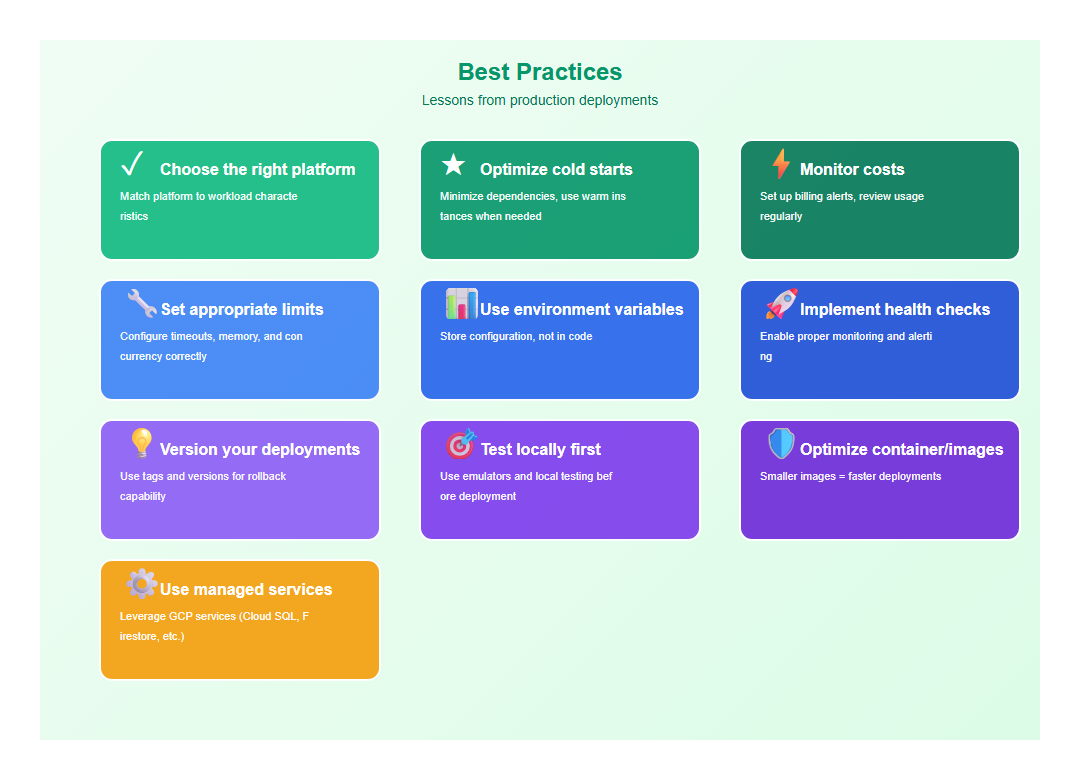
After deploying to all three platforms, here are the practices I follow:
- Choose the right platform: Match platform to workload characteristics
- Optimize cold starts: Minimize dependencies, use warm instances when needed
- Monitor costs: Set up billing alerts, review usage regularly
- Set appropriate limits: Configure timeouts, memory, and concurrency correctly
- Use environment variables: Store configuration, not in code
- Implement health checks: Enable proper monitoring and alerting
- Version your deployments: Use tags and versions for rollback capability
- Test locally first: Use emulators and local testing before deployment
- Optimize container/images: Smaller images = faster deployments
- Use managed services: Leverage GCP services (Cloud SQL, Firestore, etc.)
8. Common Mistakes to Avoid
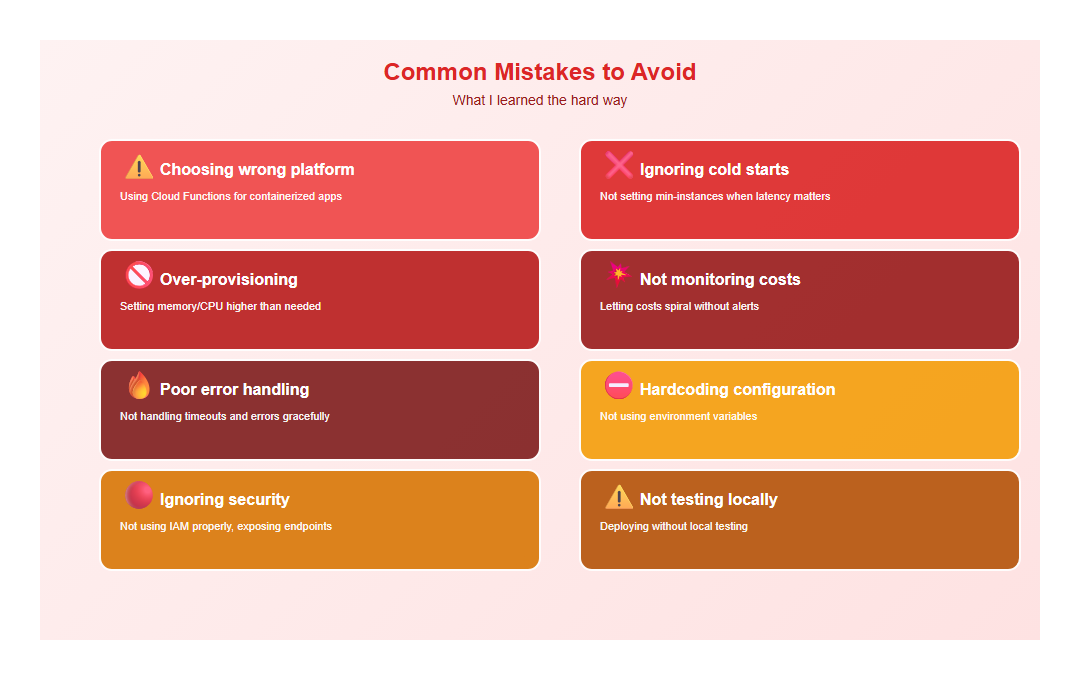
I’ve made these mistakes so you don’t have to:
- Choosing wrong platform: Using Cloud Functions for containerized apps
- Ignoring cold starts: Not setting min-instances when latency matters
- Over-provisioning: Setting memory/CPU higher than needed
- Not monitoring costs: Letting costs spiral without alerts
- Poor error handling: Not handling timeouts and errors gracefully
- Hardcoding configuration: Not using environment variables
- Ignoring security: Not using IAM properly, exposing endpoints
- Not testing locally: Deploying without local testing
9. Conclusion
Choosing between Cloud Functions, Cloud Run, and App Engine depends on your workload. Cloud Functions excels at event-driven tasks, Cloud Run offers maximum flexibility with containers, and App Engine provides a fully managed platform for traditional web apps.
The key is matching platform capabilities to your requirements. Don’t over-engineer with Cloud Run when Cloud Functions will do, and don’t struggle with Cloud Functions limitations when you need Cloud Run’s flexibility.
🎯 Key Takeaway
Each GCP serverless platform has its strengths. Cloud Functions for events, Cloud Run for containers, App Engine for managed web apps. Choose based on your workload characteristics, not vendor marketing. The right choice saves time, money, and headaches.
Discover more from C4: Container, Code, Cloud & Context
Subscribe to get the latest posts sent to your email.